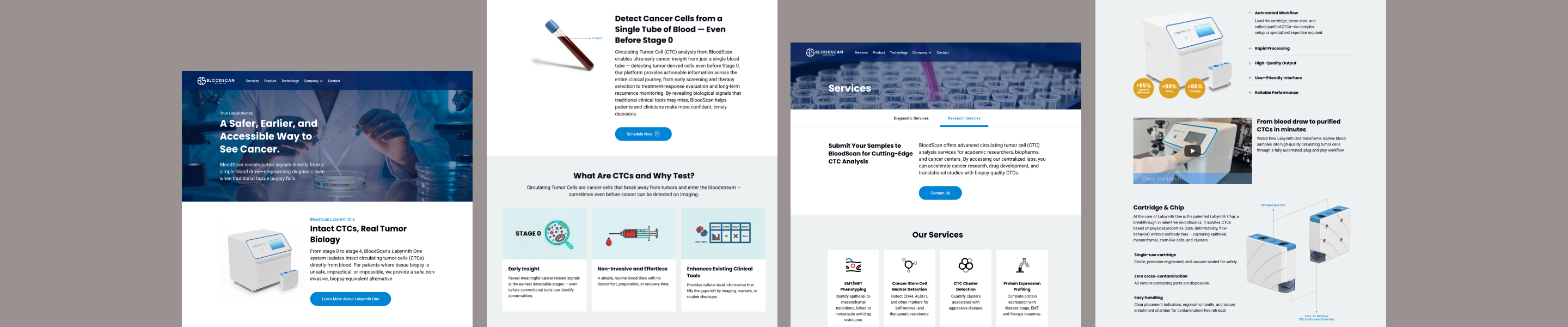
BloodScan Biotech develops the Labyrinth system to identify circulating tumor cells from blood samples. I was brought in to design their first website.
A biotech startup had no established design guidelines beyond a logo.
The founder and I aligned early on the brand direction: as a biotech company working with cancer detection technology, the visual identity needed to convey medical professionalism and scientific credibility. At the time, the only established brand asset was a logo. I realized that before I could start designing the website, I needed to fill in the missing critical groundwork such as typography and colors. Without these foundations, every visual decision would be made in isolation, making it nearly impossible to maintain a consistent brand identity across the website and future touchpoints.
To keep the final design consistent and scalable, I needed to first build a design system.
I started building the design system by defining the brand personality through typography and color, then organized them following Atomic Design principles.
I referenced established systems like Uber's Base and Ant Design. Their frameworks offered a clear starting point for building a system from scratch with a small team.
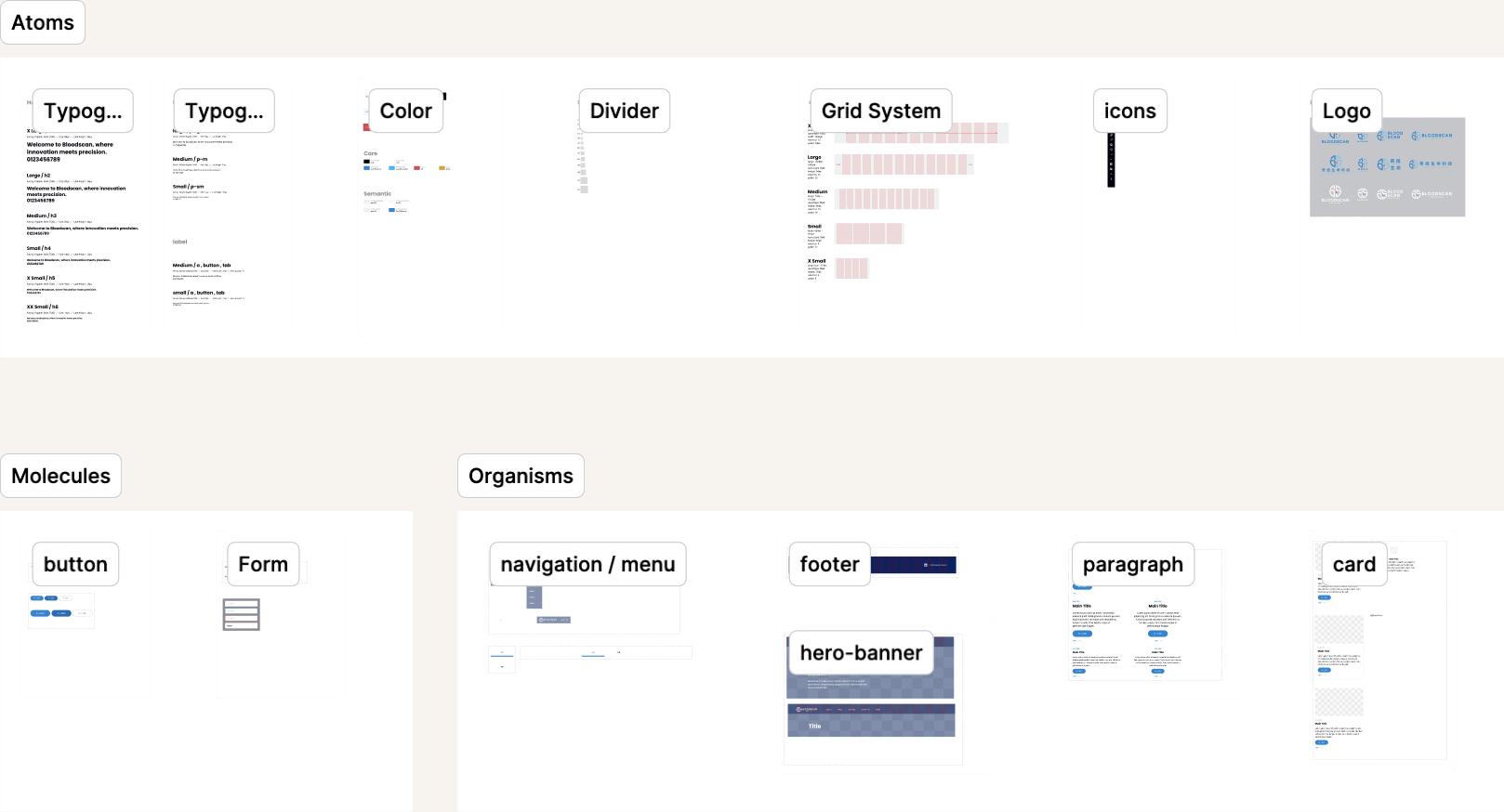
I organized the design system following Atomic Design principles. This hierarchy made the system easy to maintain: updating an atom-level decision like a color value would cascade through molecules and organisms automatically, keeping everything consistent.
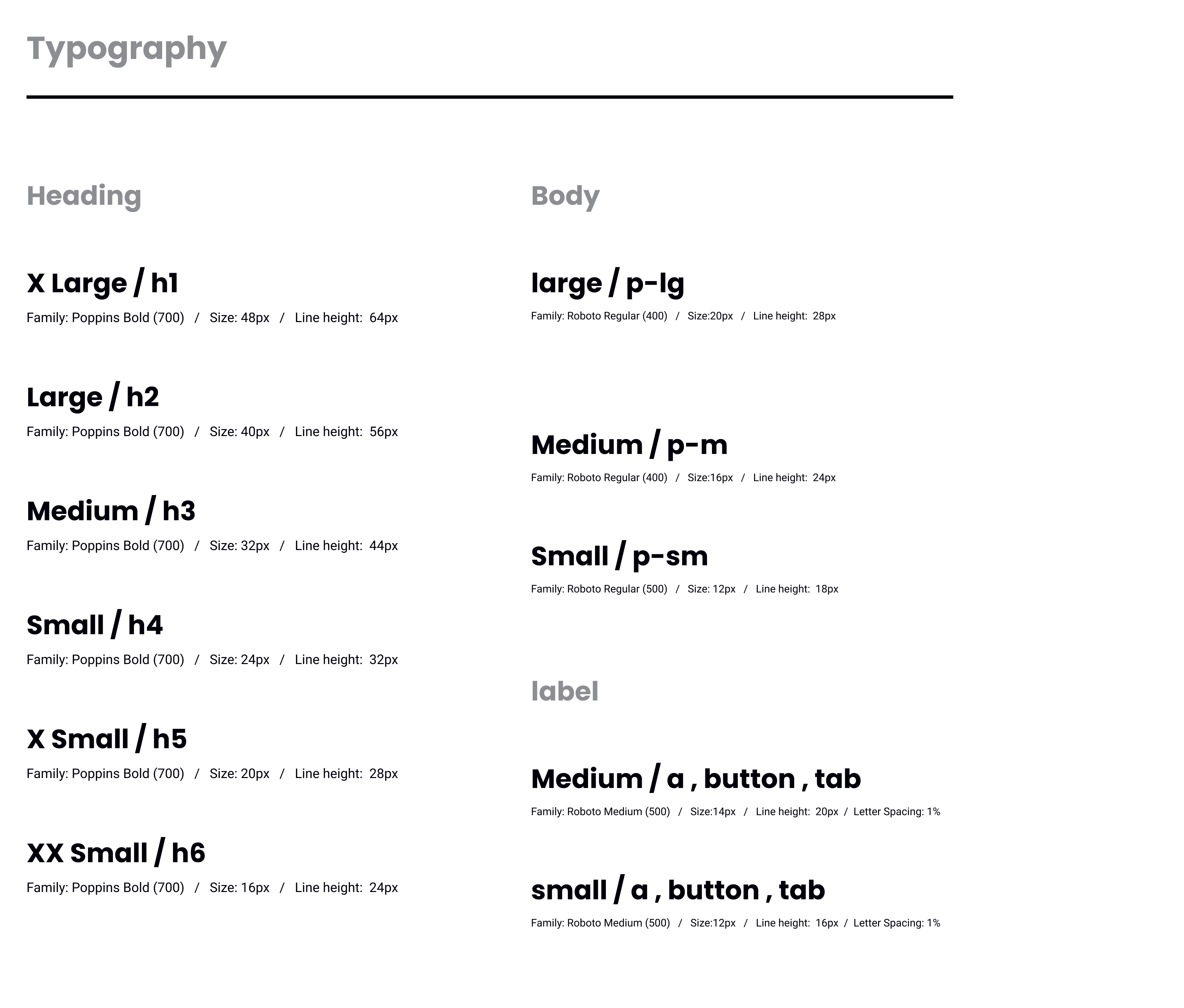
Sans-serif fonts are commonly used to convey a clean, professional image, which I believed perfectly matched BloodScan's brand identity, so I chose Poppins and Roboto. I started with a minimal type scale — H1 through H4, body, and label — and expanded only when real needs emerged during page design. The goal was to establish a clear hierarchy that communicates authority without feeling cold.
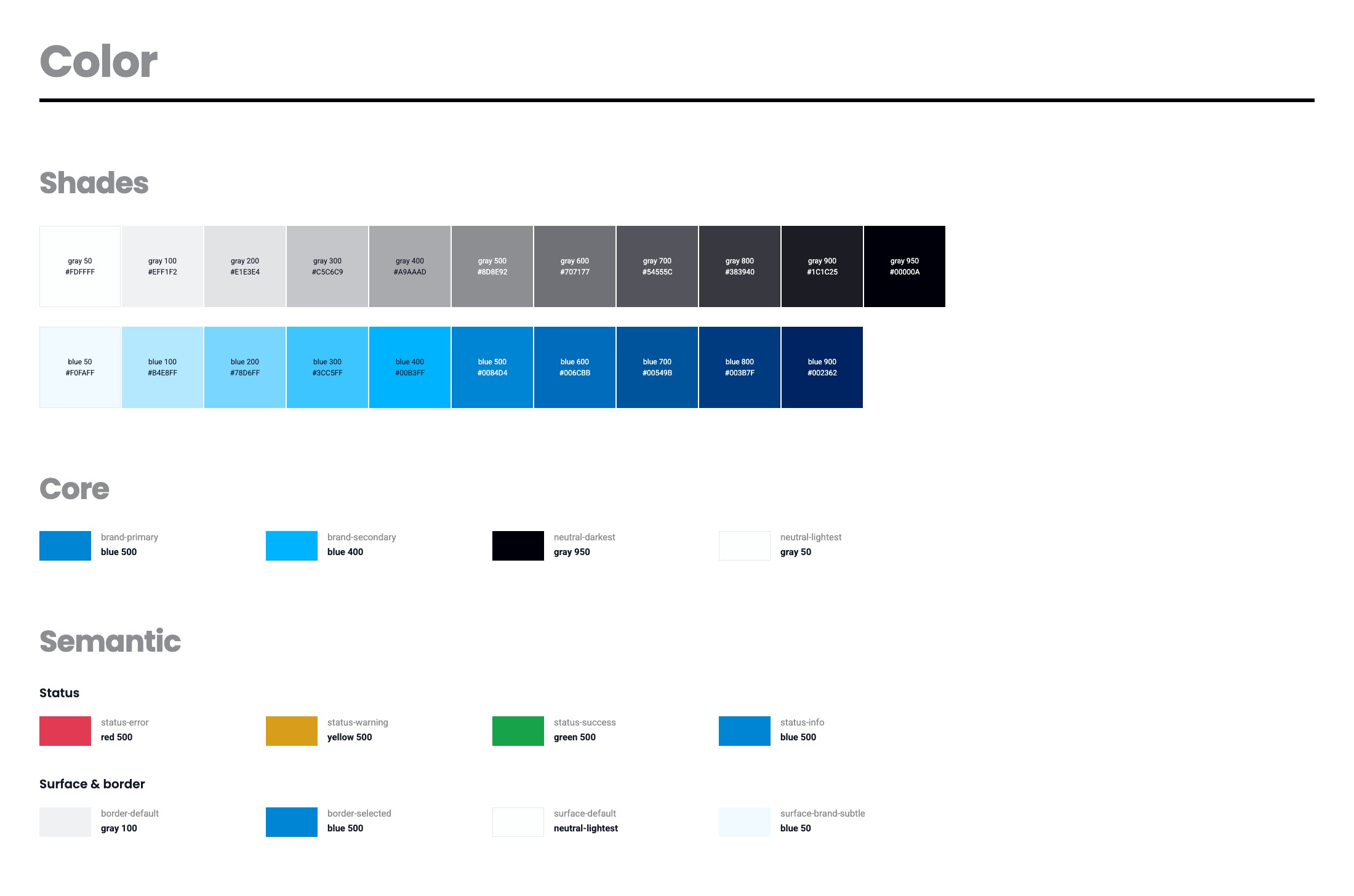
I picked three brand colors from the logo as a starting point, but a full website needs more range. I extended each color into a shade scale to support interactive states — hover, active, disabled — so the UI would feel more intentional. I also introduced neutral grays for text and backgrounds, and accent colors for status indicators like error states.
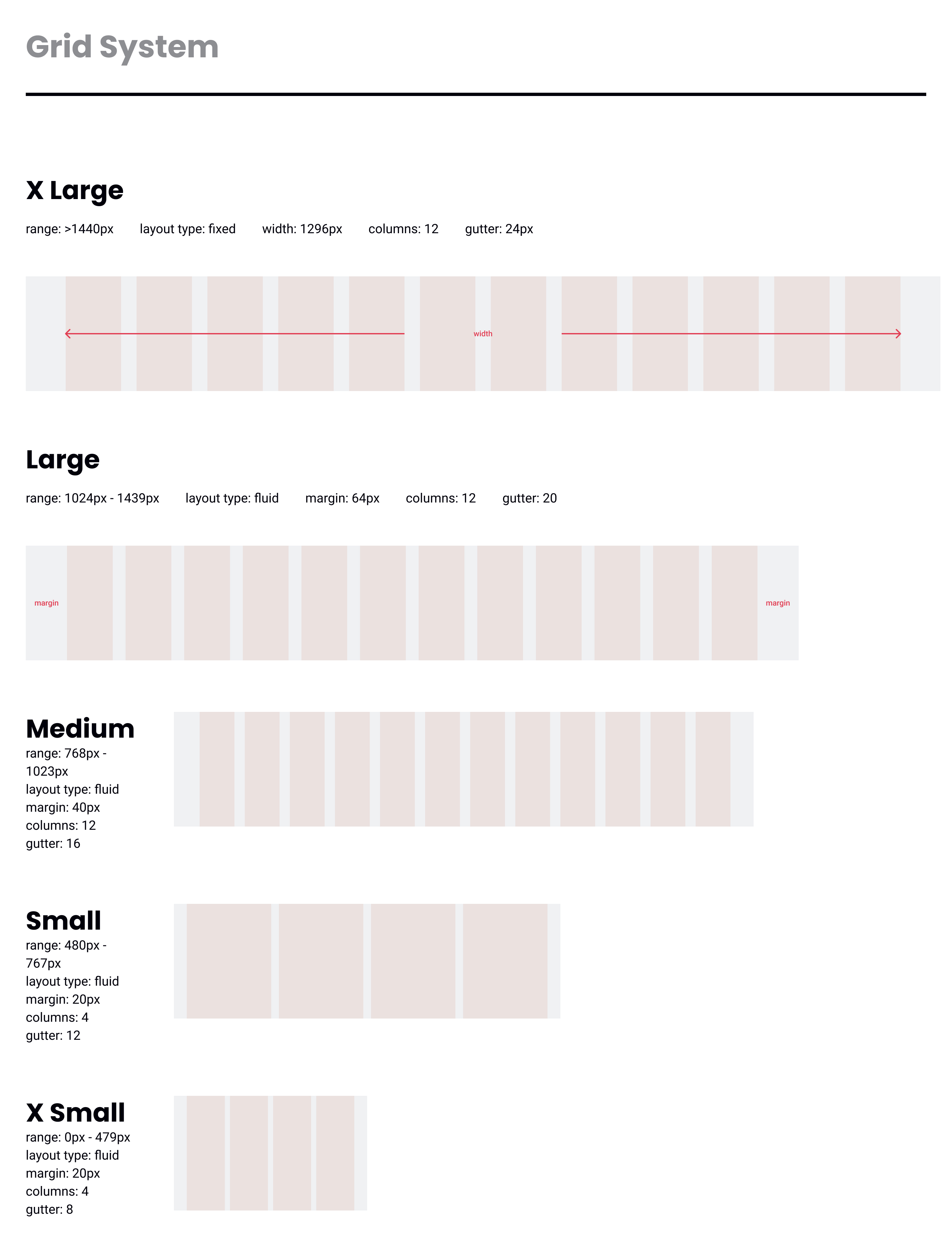
I set all spacing values in multiples of 4, aligning with how screens render pixels to ensure clean, crisp layouts at any resolution. For managing these values, I followed the global token approach — defining spacing as design variables so that adjustments could be made in one place and reflected consistently throughout the entire system.
Designed the pages first, then extracted only the patterns that repeated.
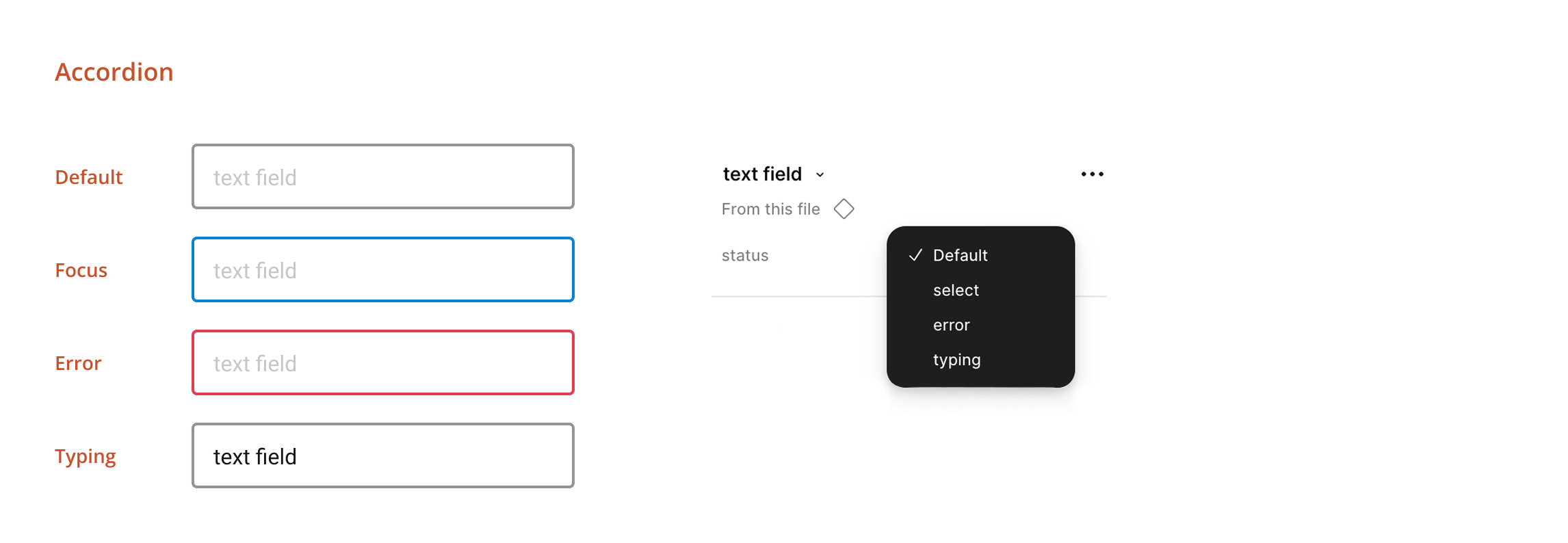
My initial instinct was to build components as I designed each page. But components created too early often led to a cluttered, difficult-to-manage library, and some of them couldn't be reused as expected. I shifted to a more effective approach: complete the page designs first, then create components only for elements that appeared across three or more pages. This resulted in a focused set of around 10 core components with variants.
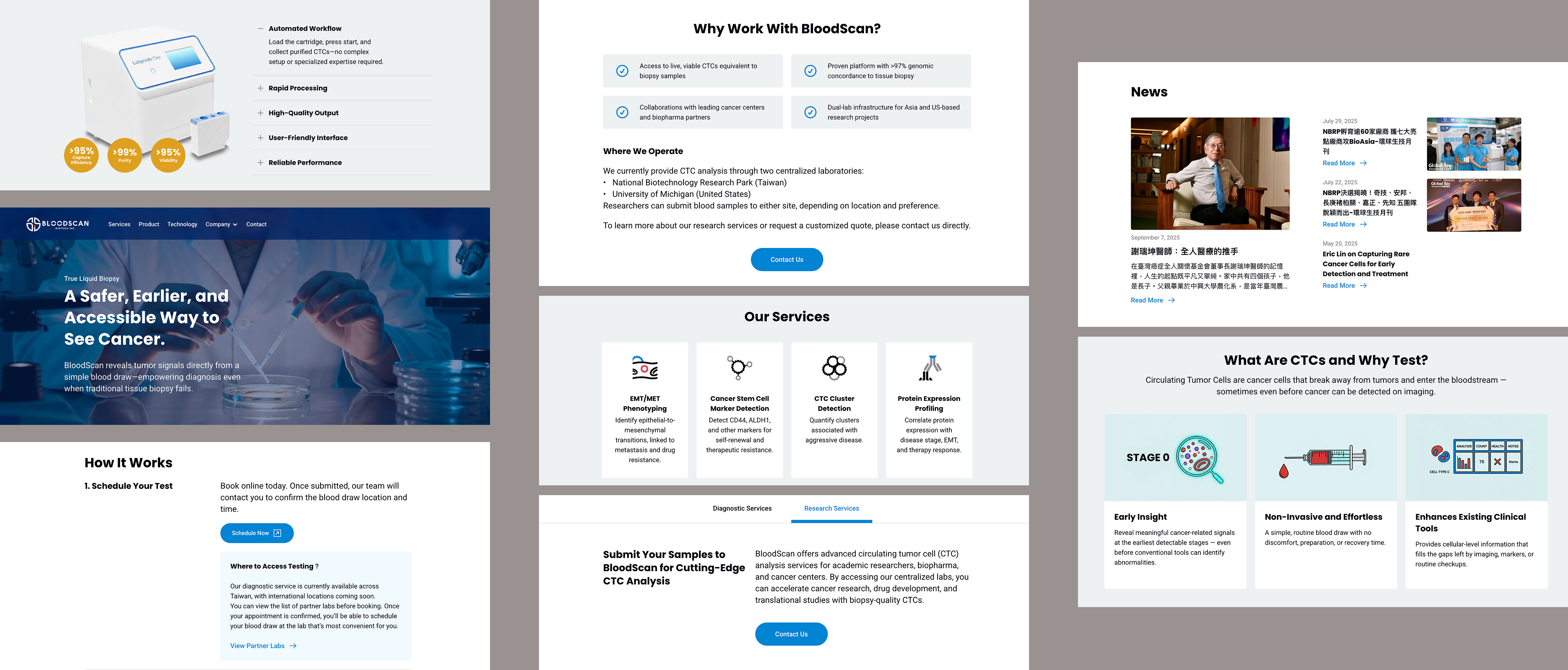
The design system was adopted by a sister brand without modifications, validating that the visual language could scale beyond a single product.
After the website launched, the design system proved its value beyond the original scope. When ProtoDive, a sister service under the same company, needed a landing page, I was able to design and launch it within a week by reusing the existing library without modifications. What started as groundwork for a single website became the visual foundation for the company's entire brand presence.